Add a One-Off Communication
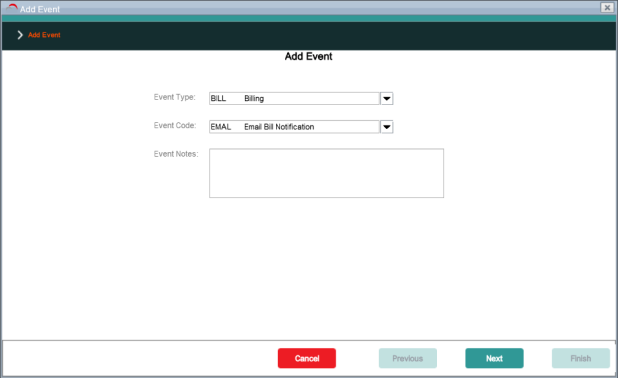
An agent can raise a communication in AgentView The graphical user interface of the CMP that is typically used by Customer Service Agents to access CMP customer and billing data. In versions prior to CMP 8.0, this was called the CMP GUI. by raising a workflow event that triggers a communication, such as the one in the following screenshot, which sends an email notification that a customer In the context of the Cloud Monetisation Platform, an individual or organisation who has signed an agreement to take goods and services from a service provider. A customer receives a bill associated with one or more subscriptions, and can be a single end user or a large company with many subscriptions assigned to one agreement.'s bill is ready:
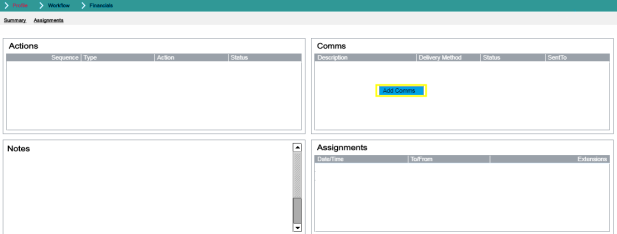
However, a one-off communication can also be added in the Comms lower panel without raising a workflow or can be added from within an unresolved workflow in AgentView, via the following:
-
The Add Comms shortcut menu option in the Comms > Comms lower panel in the relevant Subscription
A billing entity that incurs a charge. Examples include a network attached device whose usage you want to measure and charge for, or a monthly software subscription, Agreement In the Cloud Monetisation Platform, the entity that holds the instructions for generating the bills for one or more subscriptions. including the addresses and how often the bill is generated. or Account In the Cloud Monetisation Platform, a billing entity that can be used to manage payments on one or more subscriptions or payments for services. An account can hold details such as payments or invoices. Summary screen. -
The Add Comms shortcut option in the Comms pane in the Event Summary screen for that workflow event:
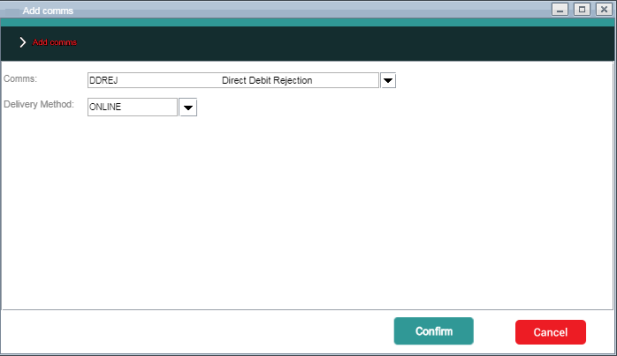
The launches the Add Comms pop-up, where the agent can choose a communication and a delivery method for the one-off communication:
See the online help for the AgentView application for more information on sending communications in AgentView.