Reversing a Payment
You can reverse a payment in AgentView The graphical user interface of the CMP that is typically used by Customer Service Agents to access CMP customer and billing data. In versions prior to CMP 8.0, this was called the CMP GUI. if it has a
 Successful status. This takes place via a right-click option in the Account In the Cloud Monetisation Platform, a billing entity that can be used to manage payments on one or more subscriptions or payments for services. An account can hold details such as payments or invoices. Summary screen Financials >Payments lower panel.
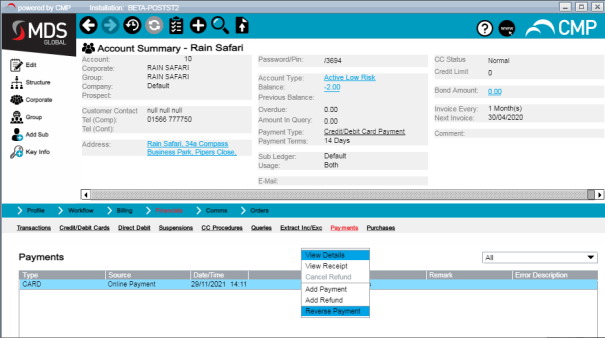
Once you have confirmed the reversal, the status of the payment changes to Failed and the Error Description entry is Manually Reversed.
The payment reversal will be automatically processed by the Ledger Monitor batch job.