View Communications
In AgentView The graphical user interface of the CMP that is typically used by Customer Service Agents to access CMP customer and billing data. In versions prior to CMP 8.0, this was called the CMP GUI., agents can view stored communications (comms) for letters and emails that have been raised for workflow events as follows:
-
In the relevant Subscription
A billing entity that incurs a charge. Examples include a network attached device whose usage you want to measure and charge for, or a monthly software subscription, Agreement In the Cloud Monetisation Platform, the entity that holds the instructions for generating the bills for one or more subscriptions. including the addresses and how often the bill is generated. or Account In the Cloud Monetisation Platform, a billing entity that can be used to manage payments on one or more subscriptions or payments for services. An account can hold details such as payments or invoices. Summary screen, in the Comms > Comms lower panel, by right-clicking the comms and selecting View Document. -
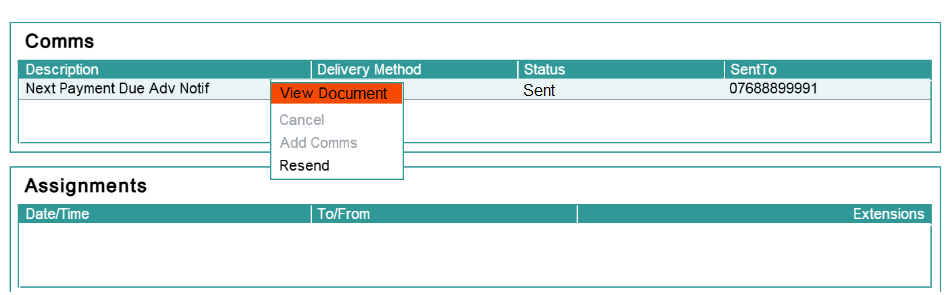
In the relevant Event Summary screen by right-clicking the comms in the Comms panel and selecting View Document:
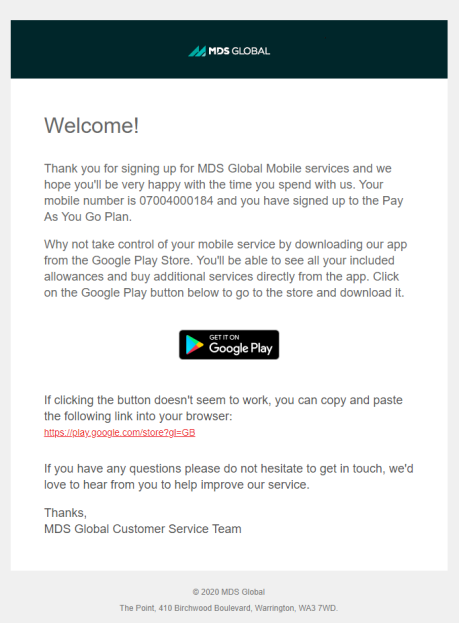
The stored document is then displayed to the user A person with the capability to log in to the CMP GUI software, such as a customer service advisor or agent.. The following is an example of an email communication: