Create a User in Admin Console
To create a user A person with the capability to log in to the CMP GUI software, such as a customer service advisor or agent. and assign them one or more group In the Customer Manager Platform hierarchy, the highest level of the structure. The group level can be used to group corporates. Groups can hold financial information. roles, follow these steps:
- Log in to the Admin Console.
The console opens on the Home page.
-
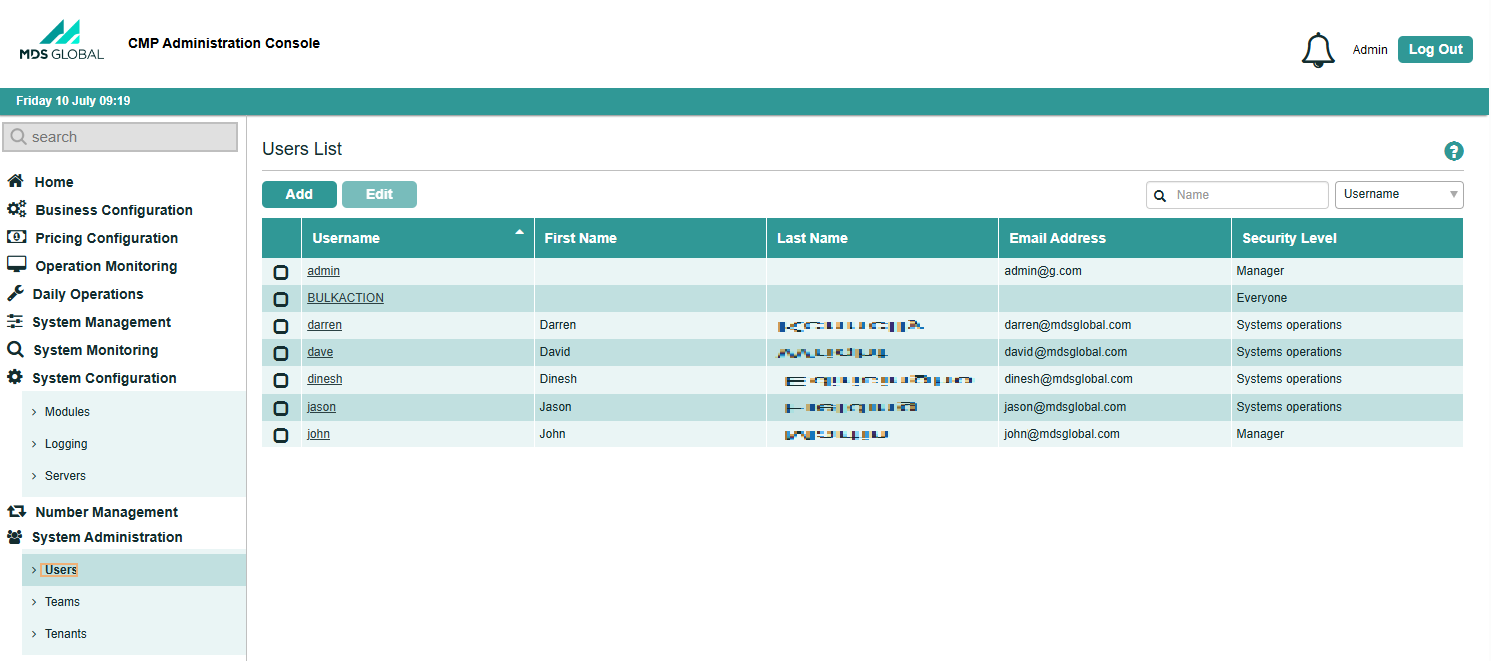
Select System Administration > Users from the left-hand menu.
The Users List page opens.
-
Click Add.
The Add User screen is displayed.
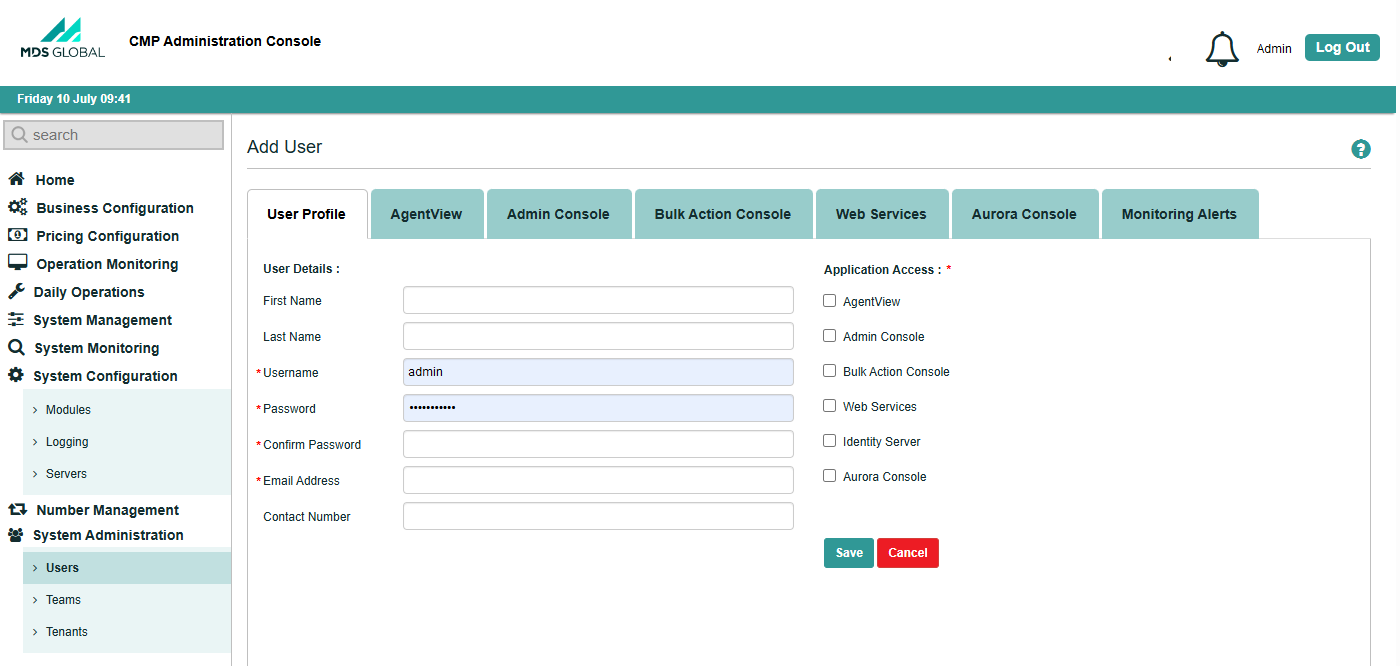
- On the User Profile, enter the user details, including the username, password, and email address.
-
To grant the new user access to CMP
Converged Monetisation Platform. The MDS Global product that supports customer care and billing for digital service providers. applications, select the checkbox to the left of the required application.This enables the tab for the selected application.
-
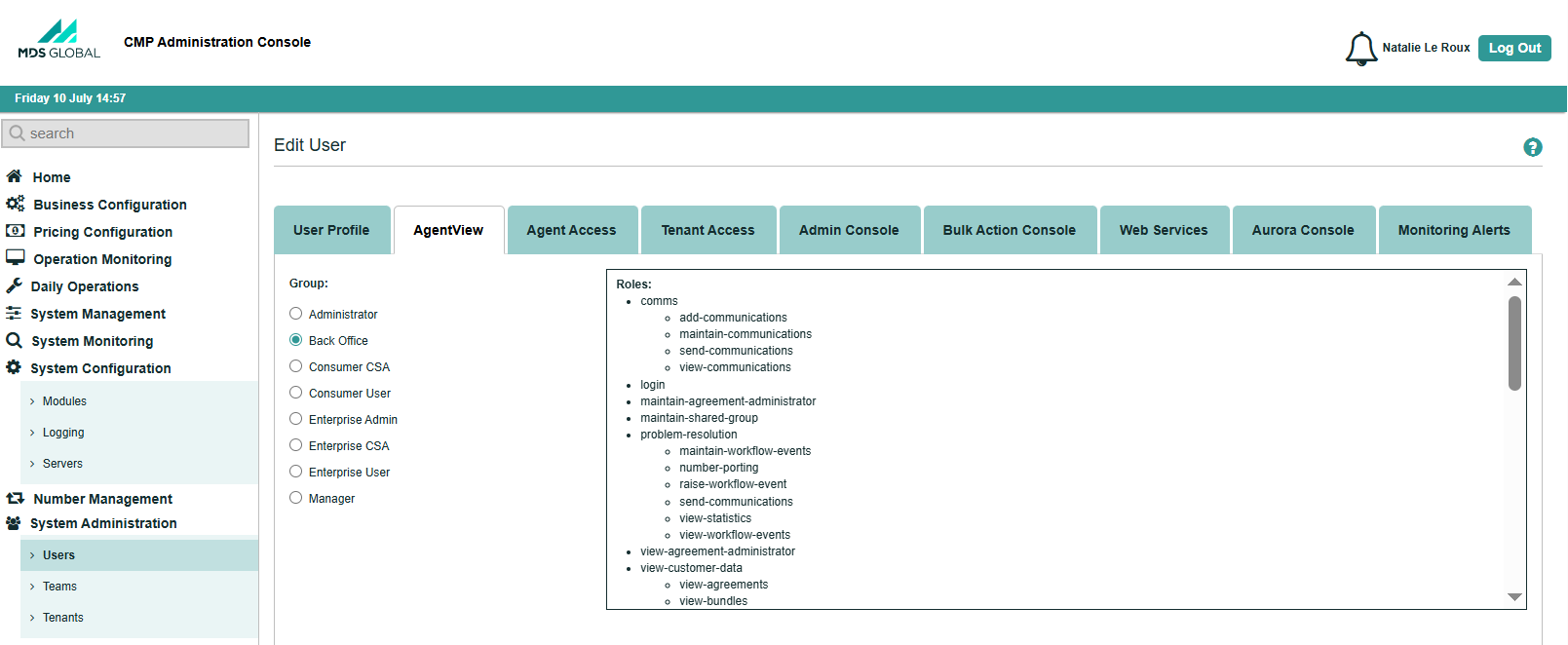
To assign the new user to a group, select the relevant tab, and select the groups required.
-
Return to the User Profile tab, and click Save.
The new user is added to the Users List.