Enable Password Recovery and Reset
Prerequisites
Ensure the following are in place:
-
A valid SMTP
 Simple Mail Transfer Protocol. An Internet standard for email transmission. mail server has been configured in your installation configuration prior to deployment. This can be done in the SMTP Mail Server Settings panel in the Global tab of the Installation Configuration tool:
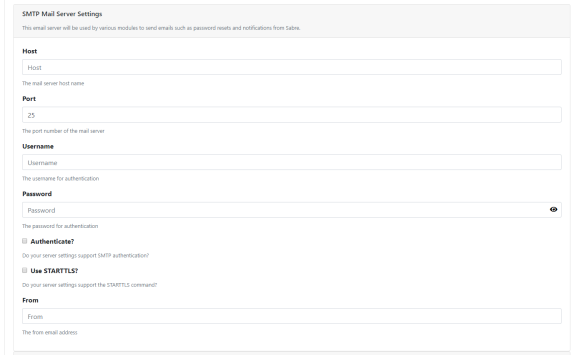
For more information on the inventory file and the Installation Configuration Tool, see the CMP
Converged Monetisation Platform. The MDS Global product that supports customer care and billing for digital service providers. Installation Guide. -
Every user A person with the capability to log in to the CMP GUI software, such as a customer service advisor or agent. must have an email address defined against their profile in CMP.
For information on how to do this, see Add a User's Email in CMP.
Enable Password Recovery
To enable password recovery in Identity Server:
-
Log into the Identity Server Management Console.
The console opens on the Welcome page, with the Home menu tab selected.
-
Select Login & Registration from the left-hand menu.
The Login & Registration page displays.
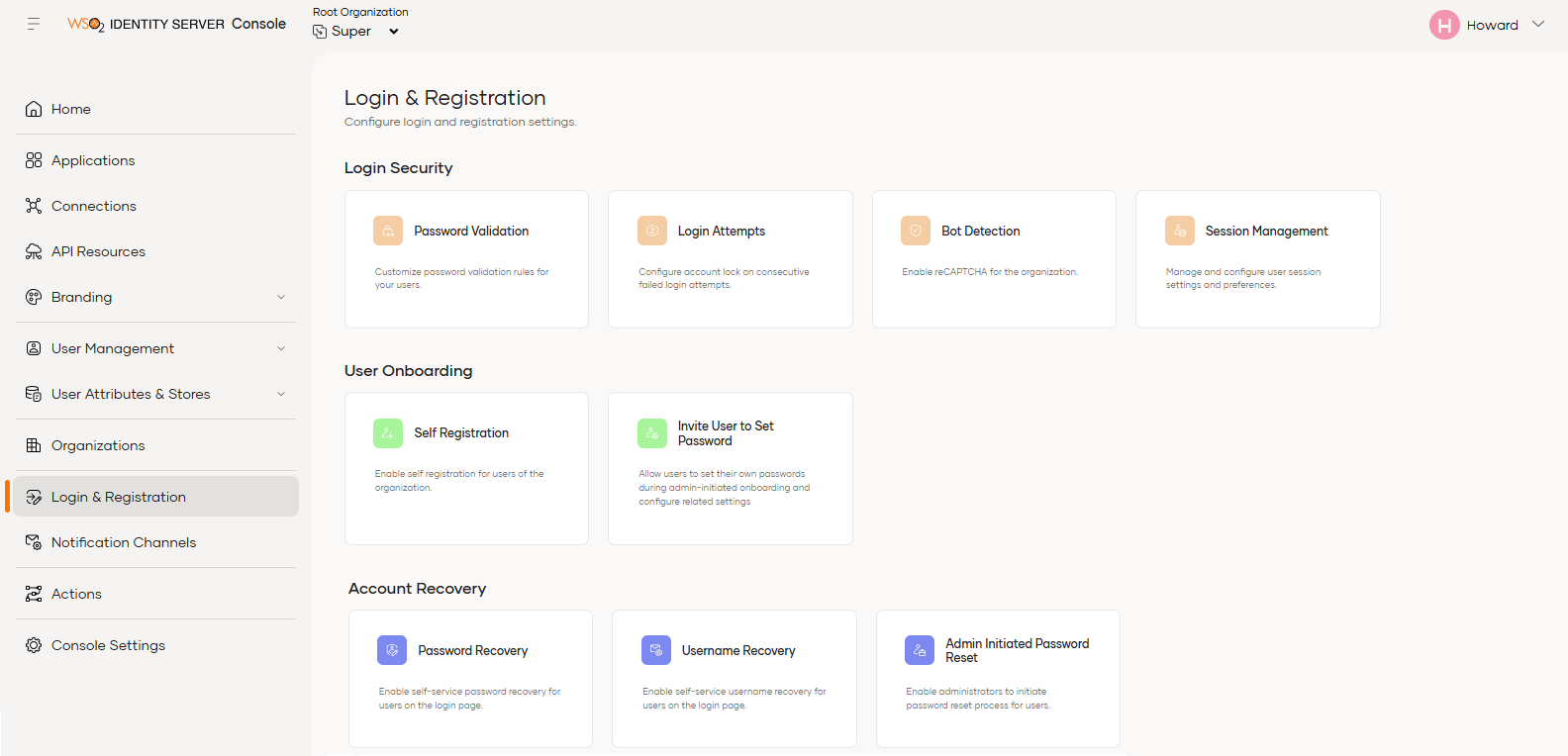
- Under Account In the Cloud Monetisation Platform, a billing entity that can be used to manage payments on one or more subscriptions or payments for services. An account can hold details such as payments or invoices. Recovery, select the Password Recovery tile.
The Password Recovery page displays.
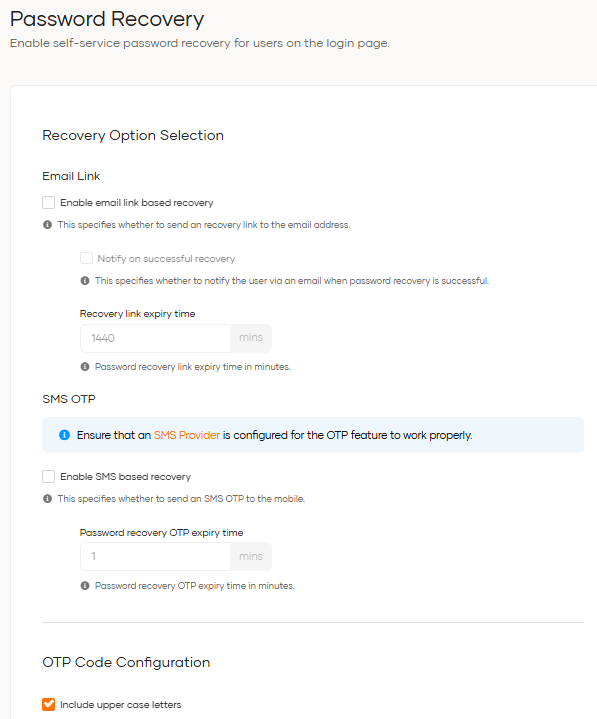
- Tick the required checkbox based on your email recovery requirements:
- Enable email link based recovery - to allow users to reset their password using a recovery link sent to their email address.
Enable SMS
Short Message Service.
A text messaging service component of most mobile telephone systems. SMS uses standardized communication protocols to enable mobile phone devices to exchange short text messages. based recovery - to allow users to receive a one-time password (OTP) by SMS.
- If you selected Email Link,
you can:
- select Notify on successful recovery to send an email confirming that the password has been successfully reset.
- Enter the Recovery link expiry time to specify how long the email recovery link remains valid
- If you selected the SMS OTP, you can enter the Password recovery OTP expiry time to specify how long the OTP remains valid.
-
Configure the OTP code requirements in the OTP Code Configuration section.
-
Enter the recovery attempt limits in the Recovery Attempts Limitation section.
- Click Update to save your changes.