Password Policies
CMP Converged Monetisation Platform. The MDS Global product that supports customer care and billing for digital service providers. supports restricting reuse of previous passwords and defining password pattern policies. These can be enabled and configured through the Identity Server Management Console.
Set Password History Policy
-
Log into the Identity Server Management Console.
The console opens on the Welcome page, with the Home menu tab selected.
-
Select Login & Registration from the left-hand menu.
The Login & Registration page displays.
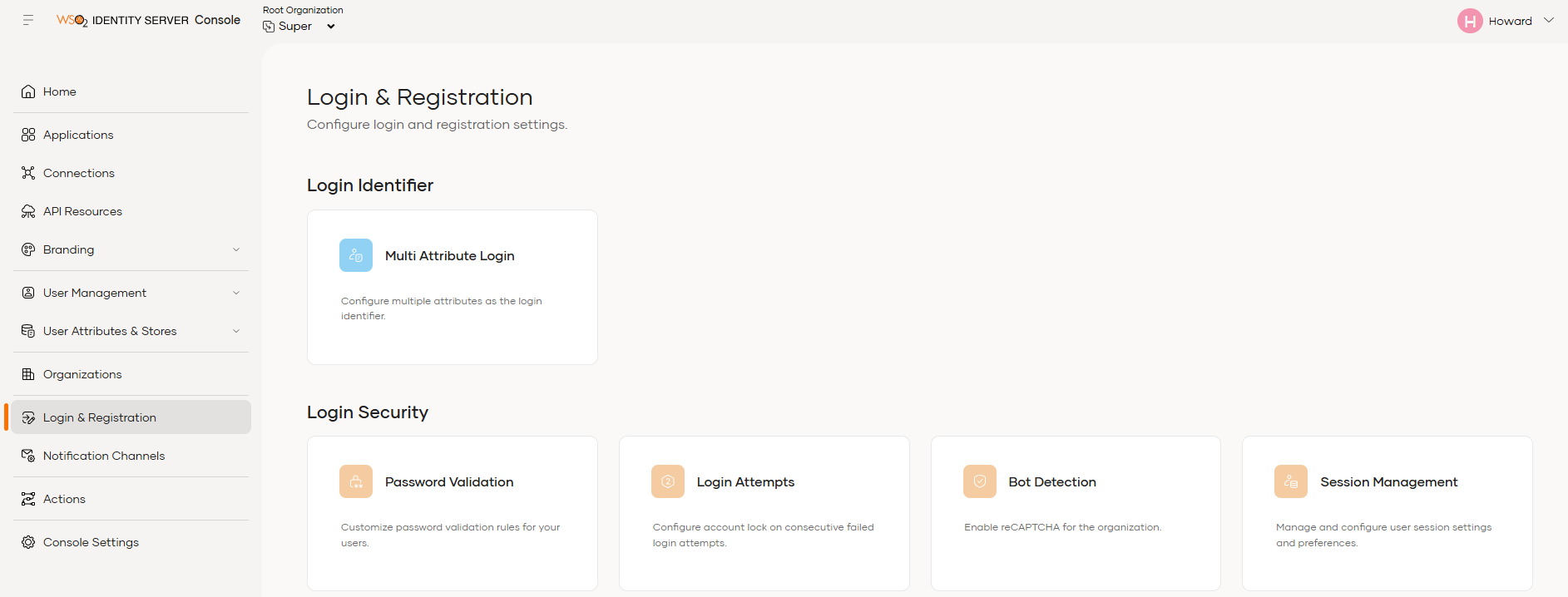
- Under Login Security, select the Password Validation tile.
The Password Validation page displays.
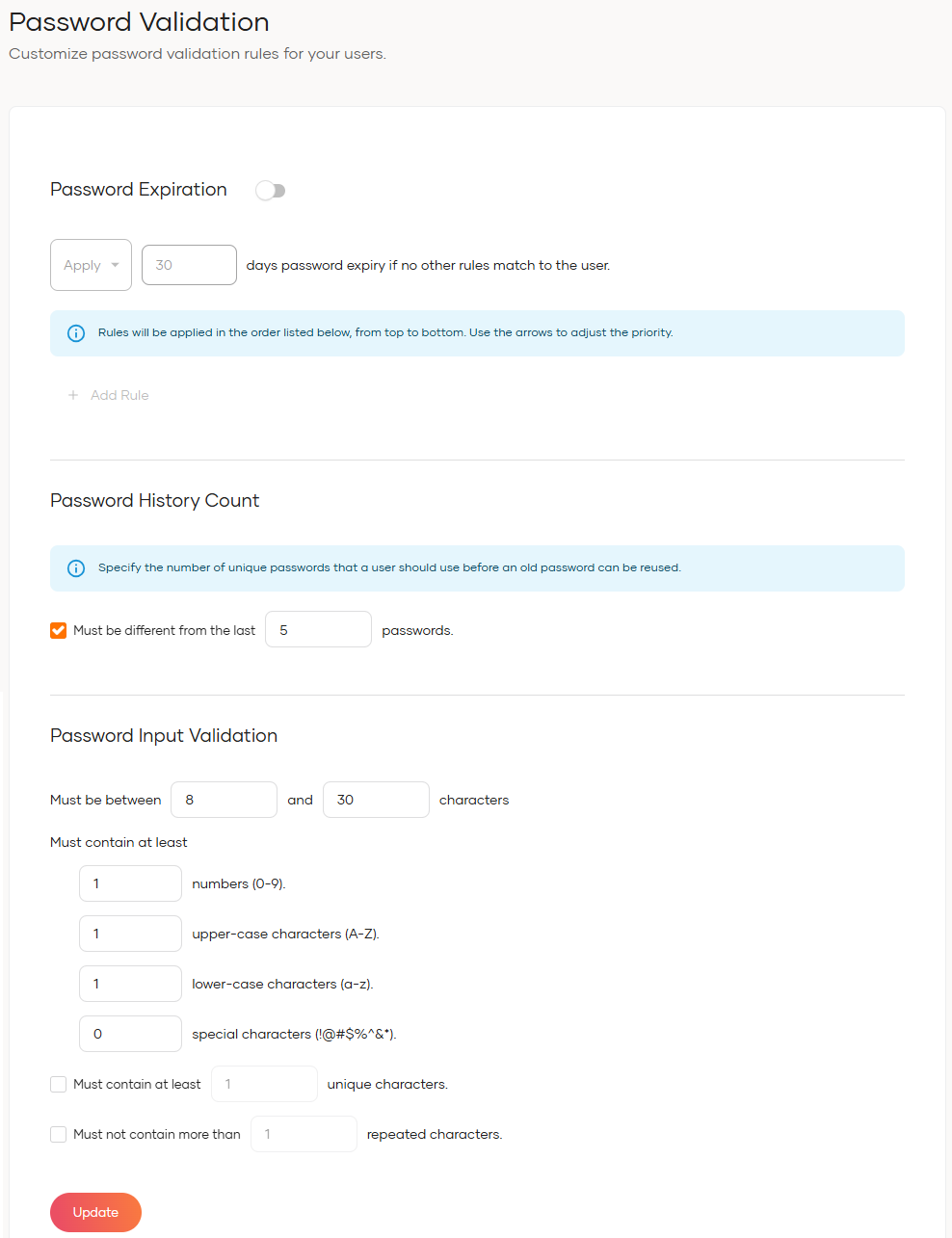
- From this page, you can configure password policies, including password expiry, password history, and password complexity requirements.
-
Click Update when you are done.
A success message is displayed.